Where we are
We are a global company
Headquartered in London, UK, with clients around the globe.
Where we are
Headquartered in London, UK, with clients around the globe.
BambooHR reporting
Headcount over time, turnover, hiring and time off from BambooHR, refreshed automatically and joined to payroll and finance. No more stitching BambooHR reports together in Excel.
BambooHR’s standard and custom reports answer the questions about today well. As the business grows, the questions are about trends, cost and the rest of the business.
BambooHR shows who works here today. Job and status changes sit in history tables for each person, so a month-by-month headcount means pulling and joining that history.
Reviewers say custom reports cannot simply be limited to a date range, so a year of starters and leavers can mean several reports combined by hand.
Leavers are exported, matched to headcount in Excel and the turnover maths done again for every board pack.
Cost per head, overtime and hiring spend need payroll, finance and recruitment figures that sit outside BambooHR.
Time off is recorded and approved, but comparing teams or spotting repeat short absences means more exports and more formulas.
An API key sees only what its creator can see, history comes table by table, and pulls are rate limited, so do-it-yourself exports break easily.
Five report pages, set up around your departments, sites and custom fields. Try the first four on sample data below, then see them on your own.
Headcount, starters and leavers over time by department, location and employment type, with tenure and gender split.
Turnover and retention by team, reasons for leaving and how long leavers stayed, so you see where people are not staying.
Time to hire and time to fill, open roles, where hires come from and which teams take longest to fill.
Days taken by month and team, allowance used, people with days left to take, and repeat short absences.
BambooHR joined to payroll and the finance ledger, so headcount, salary cost and budget sit in one view.
Book a reporting review
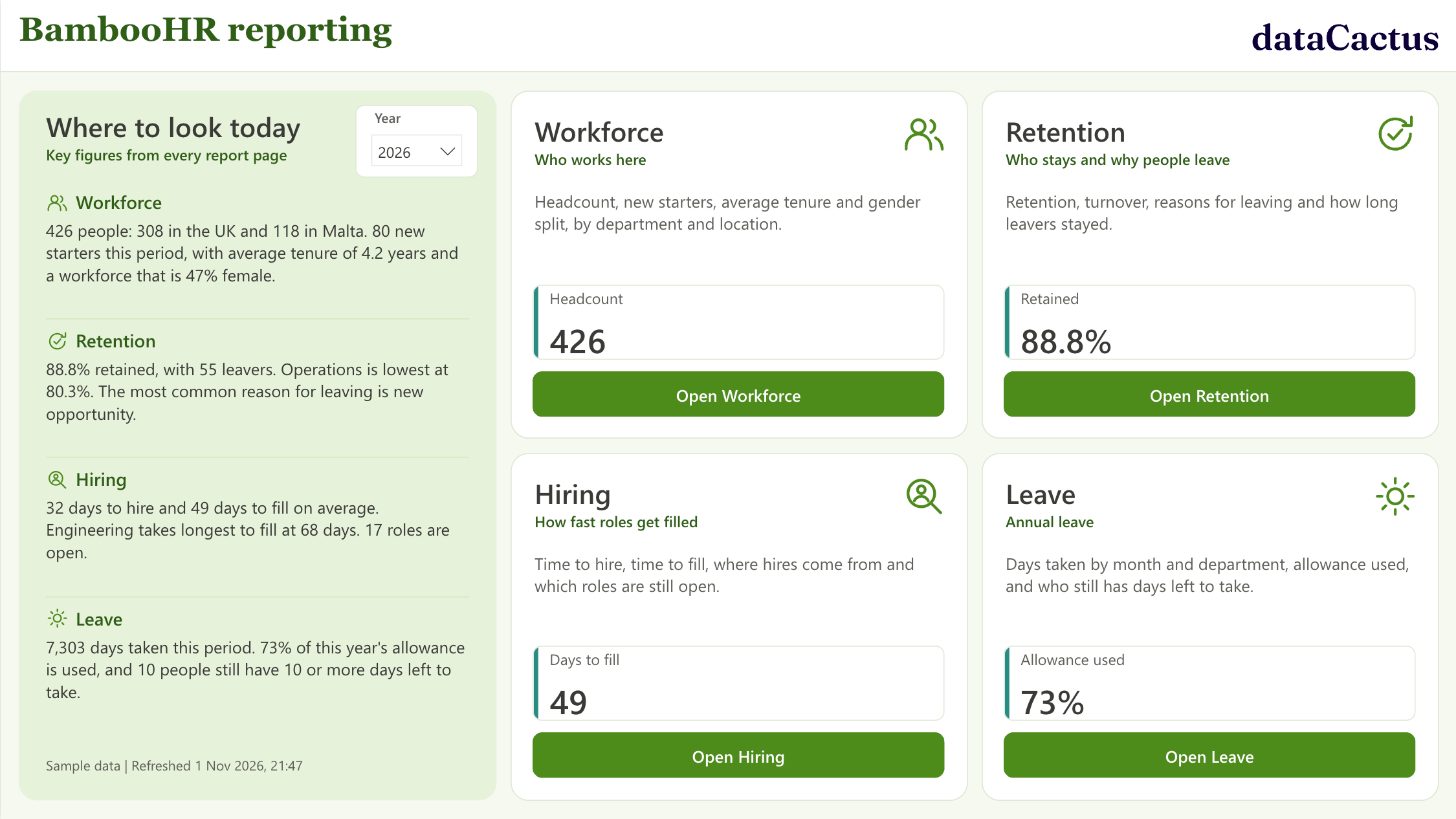
A working BambooHR report on sample data for a 426-person company in two countries. Change the year or location, or click any bar to filter the rest of the page.
 Open the live report
A read-only API key from a dedicated BambooHR user with access to exactly the fields the reports need. Nothing in BambooHR can be changed.
Employees, job history, employment status, time off and hiring data land in a database in your own Microsoft tenant, with history kept so every month can be compared.
Power BI reports in Teams or the browser, refreshed automatically, with row-level security so managers see their own teams only.
We load the job information, employment status and compensation tables for every person, so headcount and turnover are correct for any past month, including back-dated changes.
After the first load we ask BambooHR only for employees changed since the last run, which keeps refreshes quick and inside the API limits.
People data is only useful when HR trusts the numbers. Every report we build is checked against the source system before anyone relies on it.
Charities & care
Fortnightly manual extracts from the HR and payroll systems became automatic daily updates into one organised set of figures, with each manager seeing only their own teams.
Read the case study
We will show you what it looks like built on live BambooHR data, and what it would take to get there.
Talk about BambooHR reporting